Featherframe An e-paper frame that shows actual birds nearby painted by real artists.
Updated
Featherframe is an e-paper frame for bird lovers. A detector in your backyard identifies birds by their calls, and the frame shows the last one it heard as its illustration from John James Audubon’s The Birds of America (1827–1838) or one of John Gould’s books: more than 1,300 species, hand-painted and hand-printed in the 1800s, all in the public domain. Real art by real people, not AI art.
The detector is BirdNET, a free, open-source model (not an LLM) that identifies about 6,500 species by their calls. It’s made by the K. Lisa Yang Center for Conservation Bioacoustics at the Cornell Lab of Ornithology and Chemnitz University of Technology, and runs on a Raspberry Pi.
Can’t or don’t want to run BirdNET in your backyard? Featherframe can also show detections from any  BirdWeather station in the world. So if you want grandma to see the birds in your yard, or you want to see what’s singing in Vail or Maui, you can.
You can browse every plate, matched to its modern species, at  historical-bird-plates.wells.ee.
Get one
Featherframe isn’t for sale yet. Press Notify me, and you’ll get one email when it is.
-
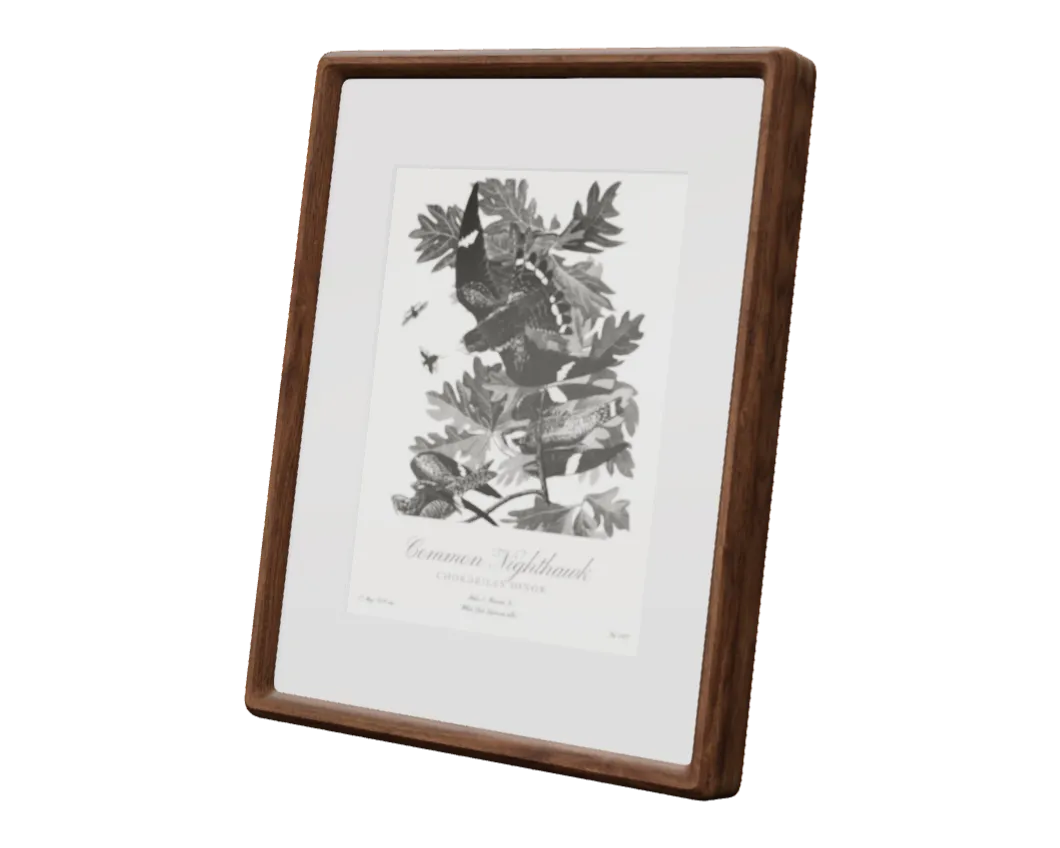 Notify me Featherframe 10.3-inch
Featherframe 10.3-inch
Grayscale e-paper display in an 8.5 × 11 in frame, USB-C cable included
-
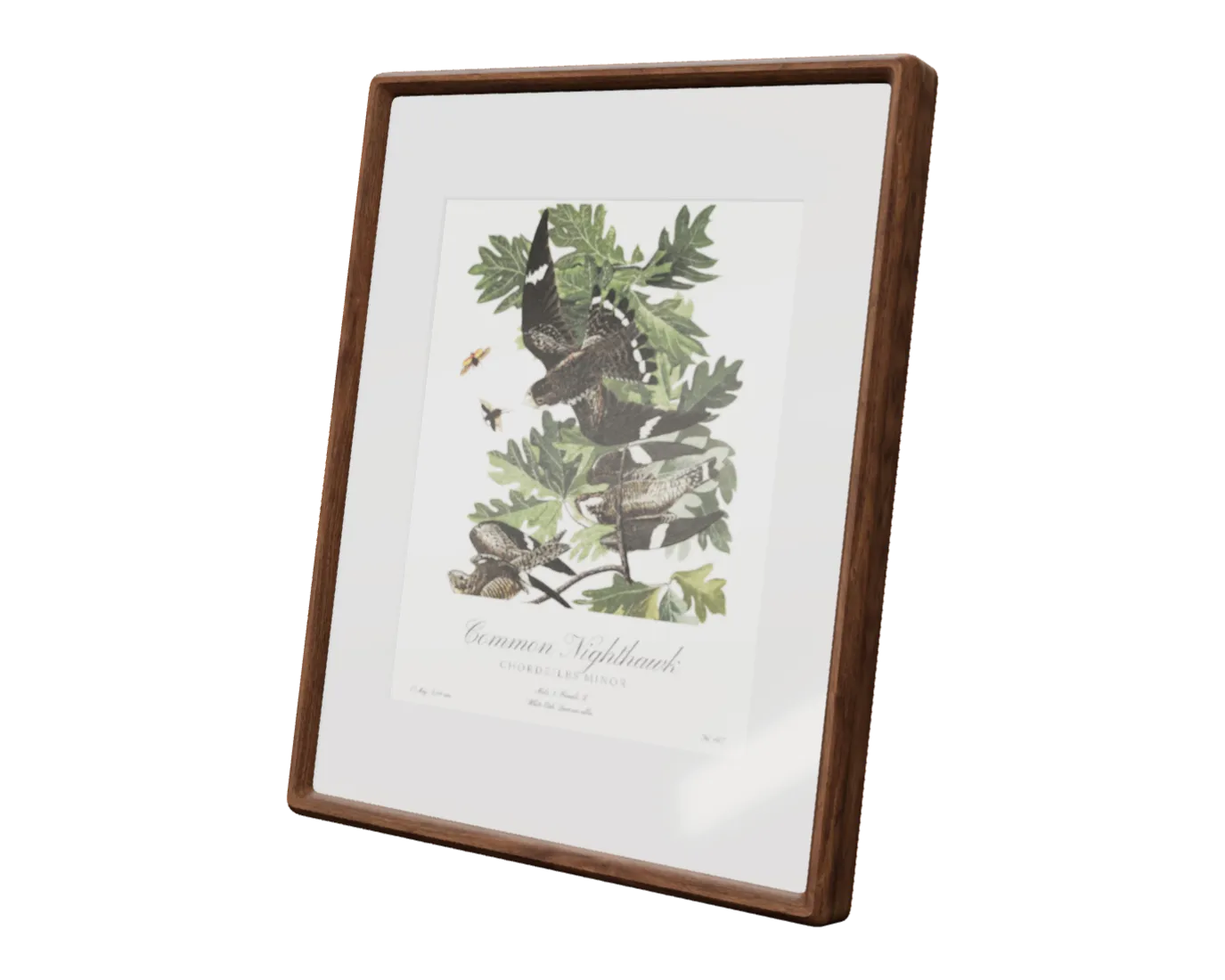 Notify me Featherframe 13.3-inch
Featherframe 13.3-inch
Six-color e-paper display in an 11 × 14 in frame, USB-C cable included
How it works
The Featherframe webapp finds the illustration and sends it to the frame. Your Region picks which book comes first, and the others fill in the species it doesn’t have. The webapp also sets the refresh interval, quiet hours, the daily collage (one sheet with every species heard that day), and more.
Run the webapp hosted at  featherframe.app, free with a frame, or on your BirdNET device, or in Docker on a NAS or home server.
AI illustrations
There’s an option to generate AI illustrations, but it’s off by default. About 1,350 species have an illustration in one of the books. A species that has none gets a name card, its name set in type (the default), or, if you turn it on, an illustration generated in Audubon’s style by the image model of your choice.
I spent hours crafting a prompt that reproduces the Audubon style with a high degree of authenticity. I think it looks great, and I use it myself, especially for beautiful end-of-day summaries of every species BirdNET heard that day. AI-generated images are clearly labeled with a ✦, and never passed off as human-made art. You’ll need your own API key (OpenAI, Gemini, Replicate, or a self-hosted server), and each illustration costs about $0.04 at the default quality, billed by your provider. There’s more about them on the  wiki.
wiki.
What you need
- A BirdNET-Pi or BirdNET-Go station, or any public BirdWeather station · Detection sources
- 2.4 GHz Wi-Fi where the frame hangs
- A USB-C power supply (any phone charger)
- Somewhere to run the webapp: featherframe.app, free with a frame, your BirdNET device, or Docker on a NAS or home server
Setting it up
-
Set up the webapp. On Featherframe Cloud there’s nothing to install: join the waitlist at
featherframe.app, and you’ll get an invitation by email. To run it on your BirdNET device instead:git clone https://github.com/wr/featherframe ~/featherframe cd ~/featherframe/server ./install.shWhen it finishes, it prints your webapp’s address, such as
http://birdnet.local:8181. On a NAS or home server, use theDocker setup. -
Install the firmware. A frame from my shop comes with it installed, so skip this step. For one you’ve built, connect it to your computer with a USB-C cable, open the webapp in Chrome or Edge, and in Frames, choose ⋯ → USB firmware update. You’ll enter your Wi-Fi details at the end.
-
Add the frame. On Featherframe Cloud, the frame shows a QR code: scan it with your phone to set it up. On your own server, click Add next to the new frame in the webapp.
The frame shows its first bird the next time your detector hears one.
Questions
Is it AI art?
No. Every illustration comes from Audubon’s or Gould’s books, hand-painted in the 1800s. AI illustrations only appear if you turn them on, for species the books don’t have, and they’re marked with a ✦.
Which books are the illustrations from?
Audubon’s The Birds of America, and John Gould’s The Birds of Europe, The Birds of Australia, The Birds of Asia, and The Birds of Great Britain.
Do I need BirdNET?
No. Featherframe can show the detections of any public BirdWeather station, yours or anyone’s.
Can a screen I already have show the birds?
Yes: a TRMNL, a Kobo, a Kindle, or an iPad can show the pictures too: see Other screens.
Featherframe’s software is licensed under the Apache License 2.0. It’s free and open source, and donations make ongoing development and support possible.
Plates: John James Audubon, The Birds of America, public domain, via nathanbuchar/audubon-bird-plates; courtesy of the John James Audubon Center at Mill Grove, Montgomery County Audubon Collection, and Zebra Publishing. John Gould’s books, public domain; scans by Smithsonian Libraries and Archives, via the Biodiversity Heritage Library.